Record it on your iPhone. They watch it anywhere.
Snapreel records your screen, camera or voice. Stop, tap Copy link, and anyone can watch in their browser, with no app or account on their side.


Free on your iPhone, forever.
- 3ways to record: screen, camera and voice
- 0apps or accounts needed to watch a link
- 25share links free, before you need Pro
Record
Three ways to record. One red button.
Pick Screen, Camera or Voice, tap record, and Snapreel counts you in. When you stop, you can watch it back, give it a title and send it.
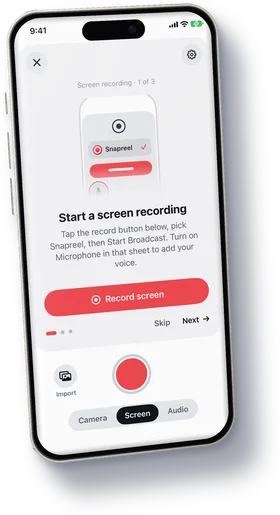
Screen
Show anything on your iPhone, with your voice over it. Snapreel keeps recording while you use other apps.
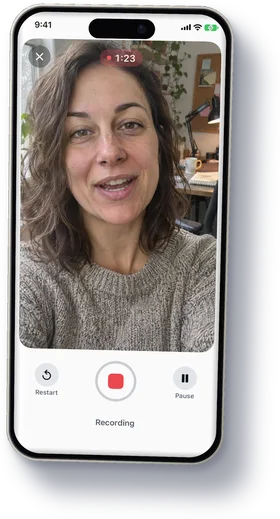
Camera
Talk to the front or back camera, with your notes on screen so you never lose your place.
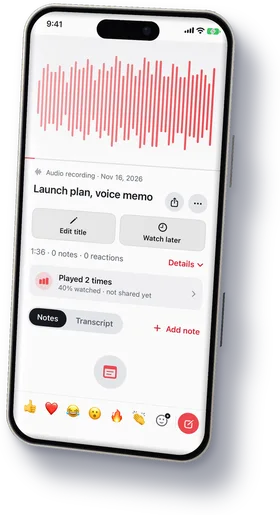
Voice
Just your voice, with a live waveform. Lock your iPhone and it keeps going.


Share links
Copy link. They watch anywhere.
Every recording can become a link. Paste it in a message, an email or a ticket, and people press play in their browser.


- Ready the moment you stopTap Copy link and paste it anywhere. The video uploads while people open it.
- Plays in any browserOn a phone, a tablet or a laptop. Previews show in Messages, Slack and WhatsApp.
- Comments at the secondViewers comment or react at the exact moment they mean. You get an alert.
- See who watchedViews and unique viewers on every link. With Pro: who, how far, and where.
Private by default
Your phone. Your files.
Everything you record stays on your iPhone. Nothing is uploaded until you tap Copy link, and Stop sharing deletes the uploaded copy.
Library, folders and tags
Find any recording with folders, tags and search.

No account to record
Open the app and press record. You sign in only when you make your first link.
Transcripts made on your iPhone
Read a recording, search it, and jump to the moment you need.
Stop sharing deletes the copy
Turn a link off and the uploaded video is deleted. The recording stays on your iPhone.
Save to Photos or Files
It's your video. Keep a copy in Photos, or send the file with any app.
Free on your iPhone, forever
No trial and no catch. Pro only changes what your share links can do.
Snapreel Pro
Links that look like yours.
- Unlimited links, up to 2 hours
- 1080p on the web
- Full viewer insights
- Password and expiry
- Downloads on or off
- Your logo, colour and button
$5.99 a month or $39.99 a year, with a 7-day free trial on yearly.
Get Pro in the Snapreel app
Compare plans

Help centre
Guides for your first week.
Short answers from the help centre: the same ones you find in the app.

- Share linksShare a recording as a linkCopy a link that plays in any browser, no app or account needed to watch.

- PrivacyWhere your recordings are keptOn this iPhone, plus snapreel.video for the recordings you share as links.

- Snapreel ProSnapreel ProUnlimited links, longer videos and full insights. Everything else stays free.